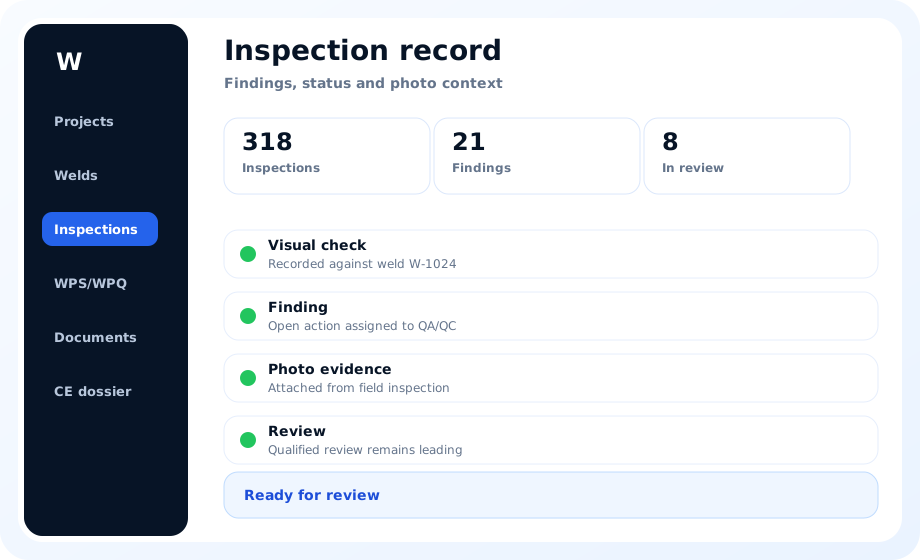
Connected project informationFrom field record to review and handover
Weld inspection work is easier to review when the inspection record, weld identity, photos, findings and follow-up actions stay together. WeldInspect Pro supports a project-based workflow for inspectors, QA/QC teams and welding coordinators. The software supports retrieval, follow-up and reporting preparation while technical and formal decisions remain with qualified personnel.
Record inspections while work is visible
Field observations are clearest at the moment the weld and surrounding work can still be examined. Inspectors can record status, notes and evidence without postponing administration until the end of a shift. The project keeps a clearer chronology for later review.
For connected inspection records, the value lies in the relationship between execution, evidence and responsibility rather than in an isolated screen. The team can retrieve source records, discuss open questions and record who performs follow-up or review under the approved procedure.
Link welds, findings, photos and open actions
A finding without weld context creates extra questions for production and QA/QC. Linking the record to a weld number, photo and responsible follow-up action makes the next step explicit. Closed and unresolved items remain distinguishable throughout the project.
The practical benefit appears when field and office roles use the same current project information. Inspectors, QA/QC and welding coordinators no longer need to reconstruct context from folders and messages, while each role keeps its own technical responsibility.
Review status and documentation completeness
Reviewers need more than a total count of completed checks. They need to see missing evidence, pending actions and records that still require qualified assessment. A shared overview supports prioritisation without automating acceptance.
A recognisable status supports planning, but notes, documents and evidence remain necessary for careful review. WeldInspect Pro keeps those elements together and leaves the appropriate conclusion or next action to the authorised user.
Replace spreadsheet-based inspection follow-up
Spreadsheets can list welds but become fragile when photos, revisions, comments and multiple reviewers are involved. Separate file names and email messages make evidence harder to verify. A structured platform keeps the relationships visible and reduces duplicate administration.
Maintaining this area during execution reduces the history that must be rebuilt for reporting or handover. Missing relationships and open questions become visible earlier, allowing them to be addressed through the organisation’s existing quality process.
Mobile and project-based workflow
Inspectors can use a phone, tablet or desktop according to the working environment. Records created in the field remain available to office-based QA/QC and coordination roles. The same project context continues into reporting and handover preparation.
The project structure supports collaboration without blurring responsibilities. Users can view the same facts and relationships, while technical acceptance, document release and formal decisions remain explicitly assigned to the appropriate people and organisations.
From inspection record to reporting
Reports are more useful when they are based on maintained project records rather than a separate end-stage summary. Teams can review what is complete and which evidence still needs attention. This creates a more controlled route from inspection activity to documentation output.
This approach makes the difference between available, reviewed and completed information easier to see. A present file is not automatically suitable, and a completed record is not automatically formally accepted; those distinctions remain visible for review.
Frequently asked questions
Common questions concern mobile use, photo evidence and the difference between recording and formal acceptance. WeldInspect Pro supports the record and review workflow. Qualified people remain responsible for technical decisions.
During a demo or trial, the team can compare this workflow with current practice. Roles, approved procedures, reporting needs and evidence handling provide a more useful evaluation than a general feature list.
Implementation within an existing quality process
A practical implementation starts with roles, project structure, weld identification and the moments at which inspection records are reviewed. Existing forms and reporting needs can be compared with the digital workflow before a wider rollout. A limited first project group helps the organisation make status, evidence and follow-up conventions explicit.
For connected inspection records, the value lies in the relationship between execution, evidence and responsibility rather than in an isolated screen. The team can retrieve source records, discuss open questions and record who performs follow-up or review under the approved procedure.
What to evaluate during a demo and trial
Review more than the speed of data entry; check whether another team member can understand the record later without extra explanation. Confirm that photos, documents, open actions and responsibilities remain recognisable beside the correct weld. Include inspection, QA/QC, welding coordination and documentation roles so the full handover chain is evaluated.
The practical benefit appears when field and office roles use the same current project information. Inspectors, QA/QC and welding coordinators no longer need to reconstruct context from folders and messages, while each role keeps its own technical responsibility.
WeldInspect Pro supports documentation workflows around relevant standards. Official standard texts, certification, qualified review and formal conformity decisions remain leading.